Information
To use TalkSahde you need to register
Registration is free and does not require any personal data.
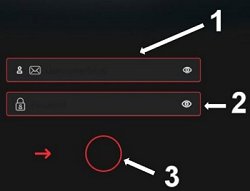
Enter username or email and password in the appropriate fields
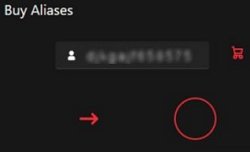
To activate the Send button, move the red arrow  into the circle
 using your mouse
If you are already registered, you will be logged into your account automatically.
If you are not registered, an account will be created automatically using the information you provided.
You may use a fictitious email address or a simple username, but please note that if you forget your password, you will not be able to reset it. Additionally, you will not be able to access advanced features such as allowing third parties to use your aliases while retaining control over sending and receiving
If you do not activate an alias within 1 hour, your registration will be deleted and you will need to register again.
To reset the password for accounts with valid email addresses, click here
If you have enabled the higher security level in your panel, an additional field will appear on the login screen after the initial login. There, you can enter the security code sent to your email.